Nicer login on my servers:
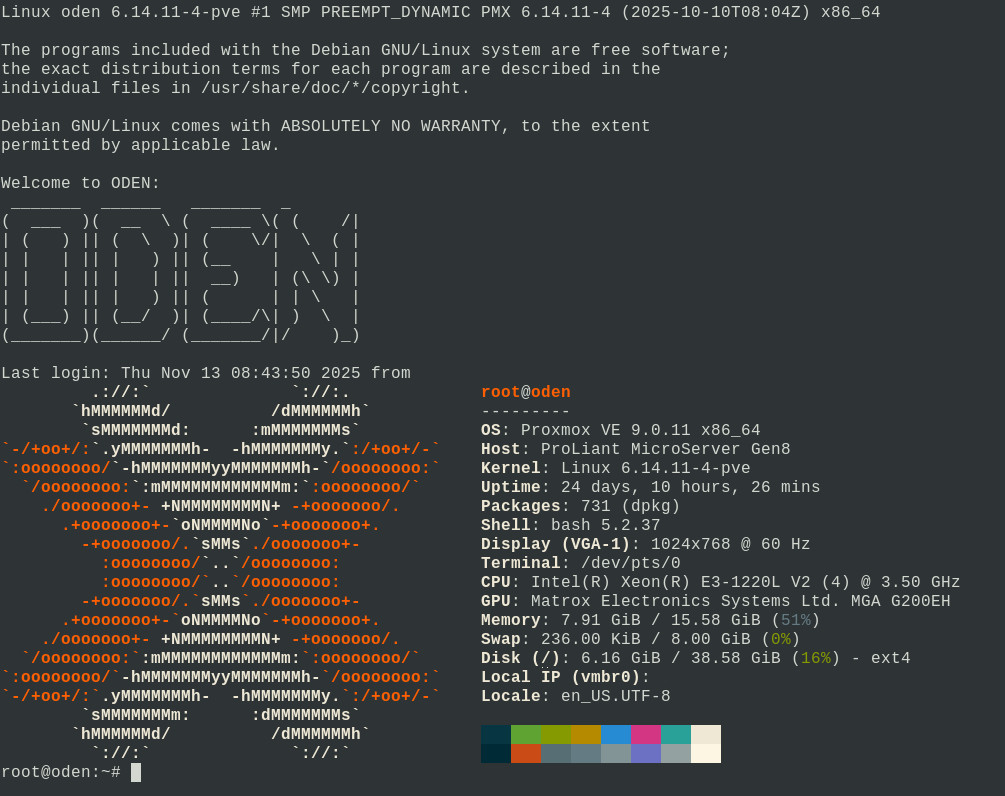
Using proxmox i used this simple method.
Update your system and install fastfetch.
sudo apt update && sudo apt upgrade -y && sudo apt install fastfetchGenerate a banner here: http://www.network-science.de/ascii/
Edit: /etc/motd
sudo nano /etc/motdInsert your ascii art:
The programs included with the Debian GNU/Linux system are free software;
the exact distribution terms for each program are described in the
individual files in /usr/share/doc/*/copyright.

Debian GNU/Linux comes with ABSOLUTELY NO WARRANTY, to the extent
permitted by applicable law.

Welcome to ODEN:
 _______  ______   _______  _
(  ___  )(  __  \ (  ____ \( (    /|
| (   ) || (  \  )| (    \/|  \  ( |
| |   | || |   ) || (__    |   \ | |
| |   | || |   | ||  __)   | (\ \) |
| |   | || |   ) || (      | | \   |
| (___) || (__/  )| (____/\| )  \  |
(_______)(______/ (_______/|/    )_)
Press F2 then y and enter.
Next we edit: /etc/profile.d/70-systemd-shell-extra.sh
sudo nano /etc/profile.d/70-systemd-shell-extra.shAnd we insert the command: fastfetch at the very end.
# shellcheck shell=sh

#  This file is part of systemd.
#
#  systemd is free software; you can redistribute it and/or modify it
#  under the terms of the GNU Lesser General Public License as published by
#  the Free Software Foundation; either version 2.1 of the License, or
#  (at your option) any later version.

# Import the additional shell prompt prefix and suffix strings into $PS1, and
# show the shell welcome string. These can be provisioned as system or service
# credentials shell.prompt.prefix, shell.prompt.suffix and shell.welcome, and
# are propagated into these environment variables by pam_systemd(8).

if [ -n "${SHELL_PROMPT_PREFIX-}" ]; then
    PS1="$SHELL_PROMPT_PREFIX$PS1"
fi

if [ -n "${SHELL_PROMPT_SUFFIX-}" ]; then
    PS1="$PS1$SHELL_PROMPT_SUFFIX"
fi

if [ -n "${SHELL_WELCOME-}" ]; then
   printf '%b\n' "$SHELL_WELCOME"
fi
fastfetch
Press F2 then y and enter.
Enjoy!